
在上一次的笔记后,我们已经初步知道docker的用途,是什么,使用的基本方法.然后跑了几个demo起来.
这次来进一步从docker的细化功能方面来学习一下它.
①.Docker镜像与仓库
- docker的image存储在宿主机的/var/lib/docker中:
1 | #可以查看完整的docker跟本机相关信息,仓库信息等,这才是最可靠的,推荐 |
镜像的tag(Repository与Registry区别)
First,Q:Difference between Docker registry and repository:
A. Docker registry is a service that is storing your docker images.
Docker registry could be hosted by a third party, as public or private registry, like one of the following registries:
- Docker Hub
- Google Container Registry
- Or you can host the docker registry by yourself
B.Docker repository is a collection of different docker images with same name, that have different tags. Tag is alphanumeric identifier of the image within a repository.
简单来说,repository一般说的其他服务商提供的docker镜像存储地(github).registry一般指自建的仓库(gitlab)
Tag:
ubuntu:14.04 这里的14.04就是一个tag,不指定默认使用latest.
在仓库的同一个镜像文件/imageID,可能根据需求不同,打上不同的tag.
- pull与push镜像
1
2
3
4
5
6
7#查找docker_hub中某个名字的镜像
$ docker search gogs -s amount # -s是对star的筛选,大于多少的star才会显示
#修改默认的下载源加速
$ vim /etc/default/docker #在--registry-mirror="写加速器的地址"
#push的时候可以选择阿里提供的国内仓库,或者默认的docker_hub 语法不同,上传并不会把整个镜像都丢上去.只会上传修改的部分.大大降低了上传时间,跟git类似构建镜像(重要)
- commit方法
1
2
3docker commit -m #m就像git一样记录这次提交的信息
常用可能参数-a 作者
docker commit -a 'Jin' -m 'commit test' bigdate ubuntu_nginx#后面是新的名字- build方法–dockerfile(推荐)
1 | #1.创建dockerfile文件 |
②.Docker客户端与守护进程
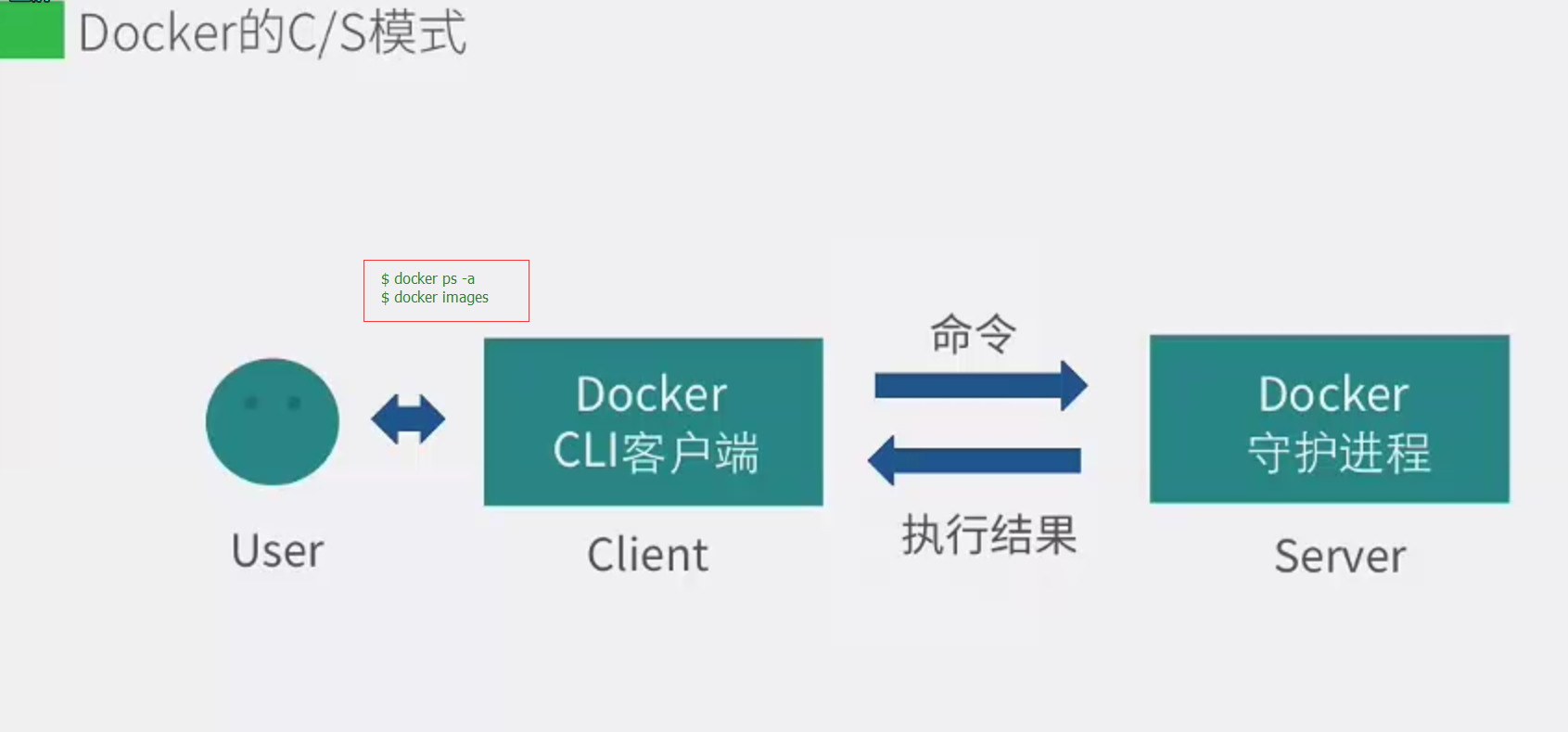
- 继续了解docker的本质相关,前面说了docker是一个C/S程序,那么client好理解,Server端在哪呢,这里指的是宿主机上的守护进程.如图:
- 除此之外,docker还提供了Remote API的方式与Server端通信,这跟很多网络服务平台提供的API调用很相似,满足RESTful.如图:
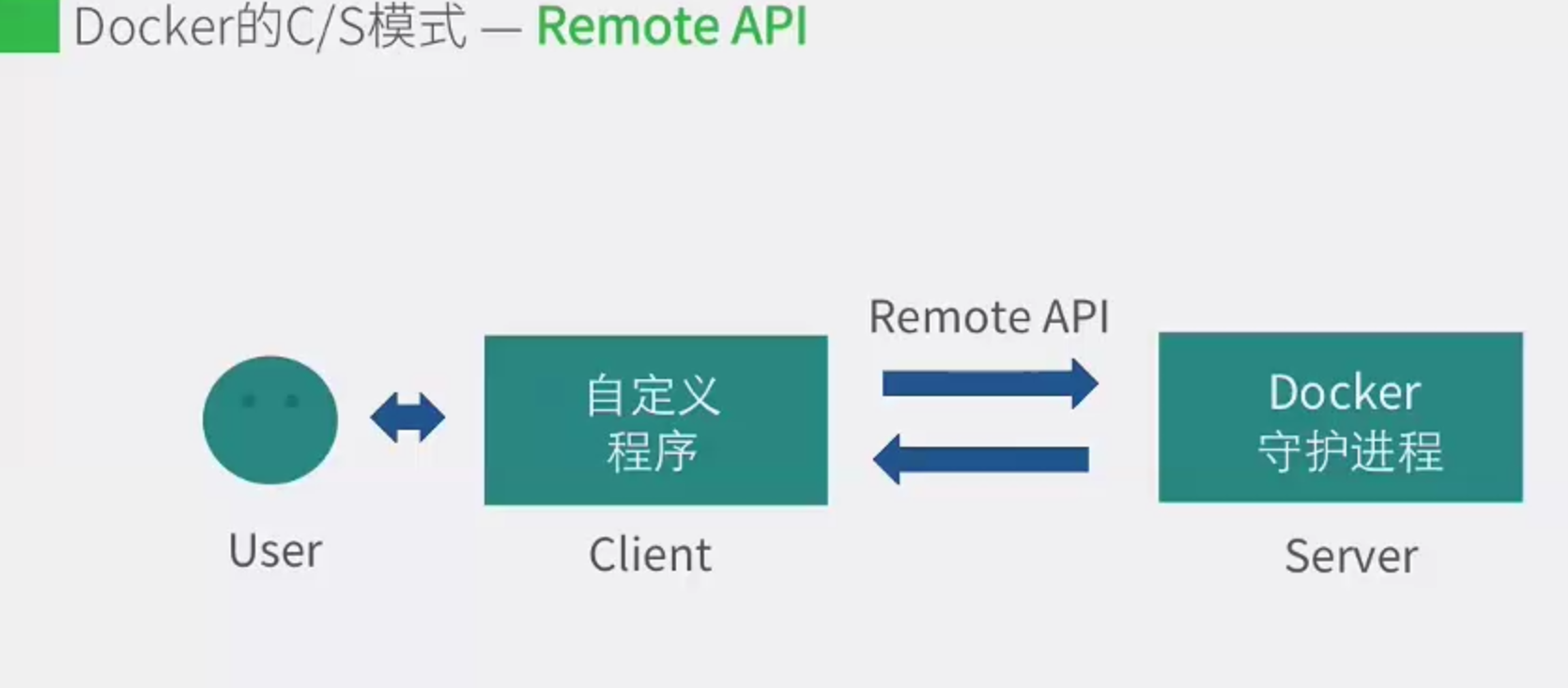
docker官方网址提供remote API的参考.自行查询.
- Docker的Client与Server如何通信(Socket)
- Unix_Port : unix:///var/run/docker.sock (默认)
- TCP : tcp://host:port
- FD : fd://socketfd
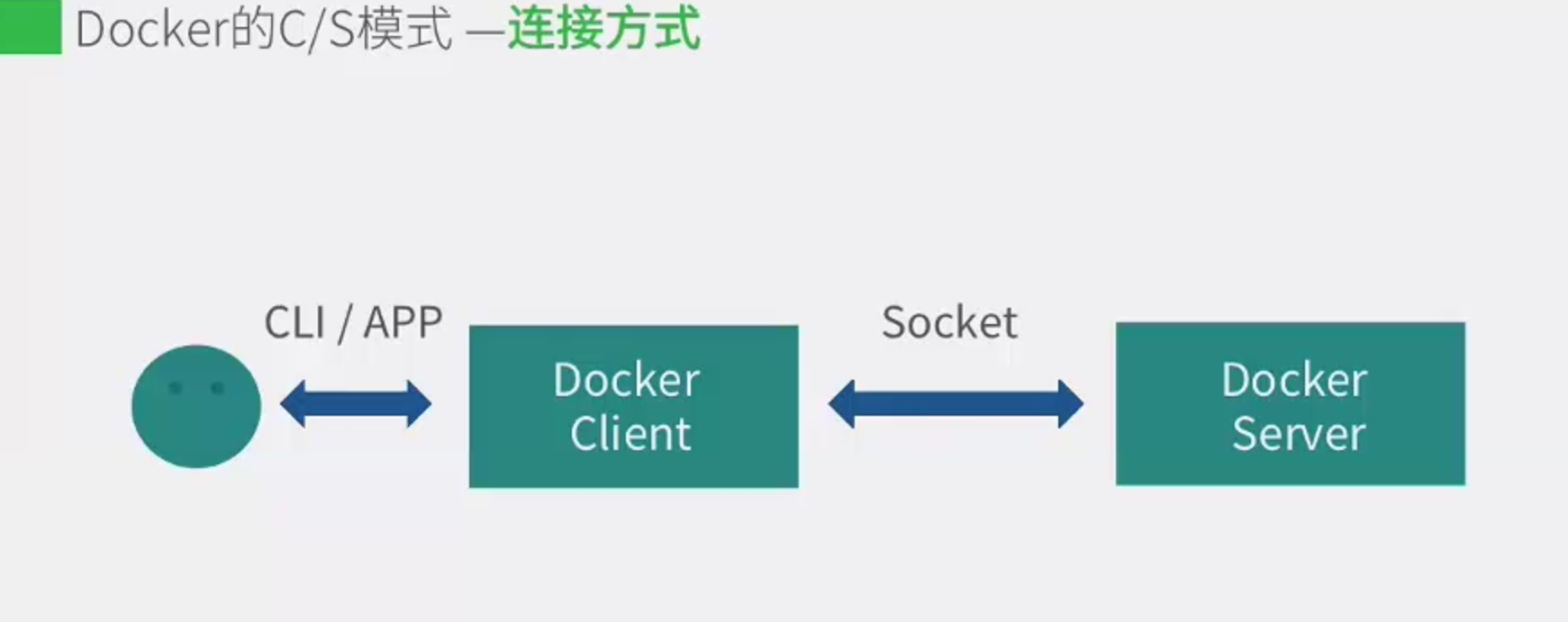
这种连接本身就意味着docker的client跟server端是可以不在同一机器上的,可以分开运行.
1 | docker version #输入版本命令就会发现,有Client/Server分开描述.从而知道缘由了 |
- docker守护进程的配置和操作
1 | ps -ef |grep docker #传统方式管道查找 |
docker的远程访问(待测试)
之前都是在同一机器运行docker的client/server,这里实现一下远程的server.
- 需要两台服务器
- 修改docker的server启动选项,区分不同服务器
- 保证A主机的client API与B主机的server API版本一致
- 环境变量 DOCKER_HOST : export DOCKER_HOST = “tcp://ip:port” (临时也可以使用 -H选项)
③.Dockerfile详解
Dockerfile构建过程:
- 首先它从基础镜像运行一个容器,产生一个image_id
- 执行一条指令,就对容器进行修改.
- 执行类似docker commit的操作,提交改动到一个新的镜像层,id改变,再运行这个镜像层对应的新的容器
- 删除上一个中间层容器,但是中间层的镜像会保留,这样就方便docker build的时候报错可以方便的调错.
- 执行下一条指令,循环2~4,直到结束.
Cache机制:
由于每一步的构建结果都会提交为镜像,所以docker为了提速省空间,就会把之前的镜像作为缓存存下来.方便以后中间层镜像复用,因为大部分镜像之间差别其实只是很少一部分.
1 | docker history image#可以查看镜像构建的过程 |
Dockerfile的指令不区分大小写,但是要求规范是大写,所以以防以后变为强制大写,还是保持官方统一,不小写.
1 | #FROM指令 e.g. FROM image:tag |
④.Docker的网络/数据管理
1.docker容器的网络基础
1 | 运行docker跟容器之后 |
上面网卡信息中的docker0 实际就是Linux中的虚拟网桥,(补:什么是网桥?)
网桥是网络中OSI的七层模型中 位于倒数第二的数据链路层的设备,通过mac地址对网络进行划分,并且在不同的网络间传输数据.是纯数据链路层设备[数据链路层上面是网络层,下是物理层]
linux的虚拟网桥有所不同:(包含网络层的内容例如IP)
- 可以设置IP地址
- 相当有了一个虚拟隐藏的网卡(网桥名,linux可通过路由表在网络层定位网桥)
- 默认docker0的地址划分 : IP从172.17.42.1 子网掩码255.255.0.0.Mac也是有相应的范围.提供65534个地址
2.docker容器的互联
3.docker容器与外部网络的连接(基于iptables的防火墙机制)
⑤.Docker的跨主机访问
⑥.其他
2017.04.20更新
docker的野心略大,github项目已经正式更名为moby,然后同时大力推win10/winserver2016的支持,以及LinuxKit这个项目(为容器组装os提供的工具包)
未来,Linux也是Docker的组件。 ——Patrick Chanezon
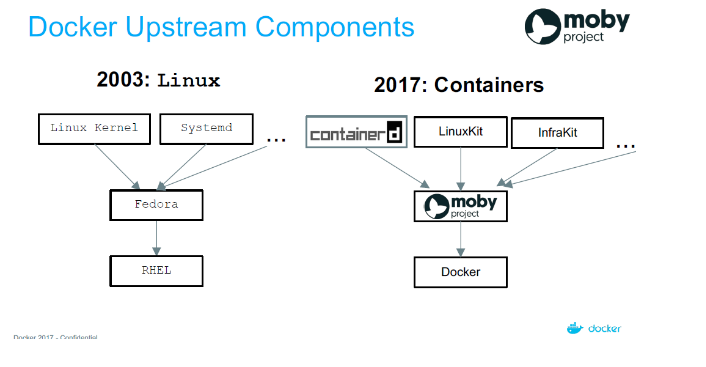
附moby的github说明( moby ) :
Audience
Moby is recommended for anyone who wants to assemble a container-based system. This includes:
- Hackers who want to customize or patch their Docker build
- System engineers or integrators building a container system
- Infrastructure providers looking to adapt existing container systems to their environment
- Container enthusiasts who want to experiment with the latest container tech
- Open-source developers looking to test their project in a variety of different systems
- Anyone curious about Docker internals and how it’s built
Moby is NOT recommended for:
- Application developers looking for an easy way to run their applications in containers. We recommend Docker CE instead.
- Enterprise IT and development teams looking for a ready-to-use, commercially supported container platform. We recommend Docker EE instead.
- Anyone curious about containers and looking for an easy way to learn. We recommend the docker.com website instead.
Transitioning to Moby
Docker is transitioning all of its open source collaborations to the Moby project going forward. During the transition, all open source activity should continue as usual.
We are proposing the following list of changes:
- splitting up the engine into more open components
- removing the docker UI, SDK etc to keep them in the Docker org
- clarifying that the project is not limited to the engine, but to the assembly of all the individual components of the Docker platform
- open-source new tools & components which we currently use to assemble the Docker product, but could benefit the community
- defining an open, community-centric governance inspired by the Fedora project (a very successful example of balancing the needs of the community with the constraints of the primary corporate sponsor)